Call of Duty: Black Ops 3 (KittyDawn)
Introduction
|
|
|
GamePack Author(s): KittyDawn
Compatible CronusMAX Firmware: 1.24+
Compatible Controllers: Dualshock 4, Dualshock 3, Xbox One, Xbox 360, Wii U Pro
Compatible Systems: PlayStation 4, Xbox One, PlayStation 3, Xbox 360, and Microsoft Windows
The Call of Duty: Black Ops 3 GamePack features a classic set of COD Mods, including Primary and Secondary Adjustable Rapid Fire, Burst Fire, Drop Shot, Jump Shot, Side Shot, Burst Fire, Anti-Recoil, Adjustable Quick Scope, Sniper Breath, Auto Sprint, Easy Double Jump and Hair Triggers. All the different default button layouts are also supported, including Tactical, Lefty, NOM4D, Charlie, One-Hand Gunslinger, Bumper Jumper, Bumper Jumper Tactical, and Stick and Move - as well as all the Bumper/Trigger Swapped layouts too. These Mods are guaranteed to improve your overall gameplay experience while giving a competitive edge.
We also invite you to join the Cronus Discord Channel - setup and run by members of the Cronus Community. There are several channels dedicated to GamePacks which offer live support and feedback, including direct support from senior members of the Cronus Community. Use this link to join our server: https://discord.gg/mJgQyM4
|
|
|
GamePack GCI Options
|
|
|
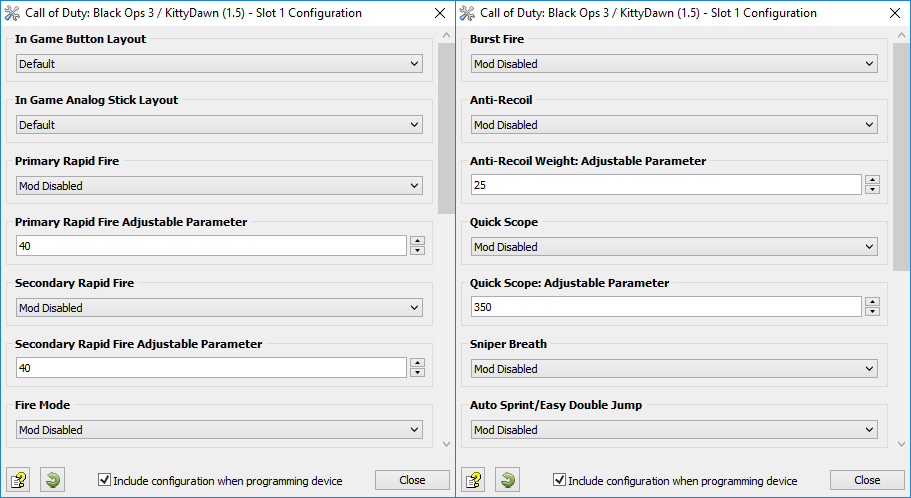
All GamePacks have Mods that can be tuned and customized to your preference. This scripting engine is what makes the CronusMAX so powerful and extremely popular with the gaming community. Gaming Mod configuration is now made more accessible than ever before with the new GCI (GamePack Configuration Interface). It pops up as soon as you program the GamePack to your Cronus ( Video). Some Mods can be directly enabled/disabled here, and some are disabled in-game by default, but have several available options that can be set here and then enabled or activated while in-game.
|
|
|
GamePack Setup
|
|
|
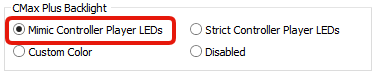
If you have a CronusMAX PLUS, open the Cronus PRO software and go to Tools > Options > CMax Plus and enable "Mimic Controller Player LEDs" for the backlight LED features to work.
|
|
|
|
|
|
Class 1
In Game Button Layout
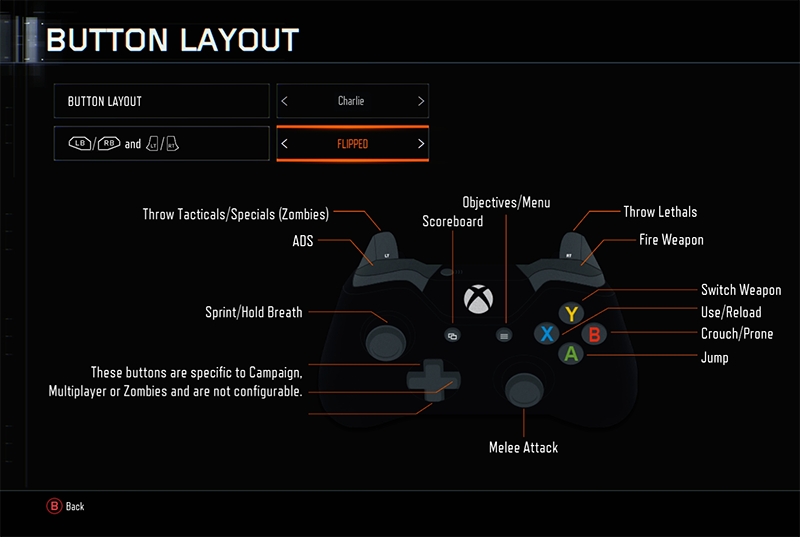
| Want to use the game specific control options but other Mods make this impossible and only allow you to use the universal layouts? No problem. All the games' layout options are covered here, not just the universal one. Select the button layout you use in game including Trigger/Bumper button options (LB/L1)/(LT/L2) and (RB/R1)/(RT/R2), and the GamePack will automatically adjust all the Mods to your preferred layout. NOTE: This step is very important. If you don't select the correct layout that you are using in game, the Mods in this GamePack will not function correctly.
To get to the Controls screen simply go to the Main Menu > Options > Controls then select Button Layout.
|
Mod
|
Name
|
|
|
Default
|
|
|
Tactical
|
|
|
Lefty
|
|
|
NOM4D
|
|
|
Charlie
|
|
|
One-Hand Gunslinger
|
|
|
Bumper Jumper
|
|
|
Stick and Move
|
|
|
Default (Trigger/Bumper Swapped)
|
|
|
Tactical (Trigger/Bumper Swapped)
|
|
|
Lefty (Trigger/Bumper Swapped)
|
|
|
NOM4D (Trigger/Bumper Swapped)
|
|
|
Charlie (Trigger/Bumper Swapped)
|
|
|
One-Hand Gunslinger (Trigger/Bumper Swapped)
|
|
|
Bumper Jumper (Trigger/Bumper Swapped)
|
|
|
Stick and Move (Trigger/Bumper Swapped)
|
|
|
|
|
Class 2
In Game Analog Stick Layout
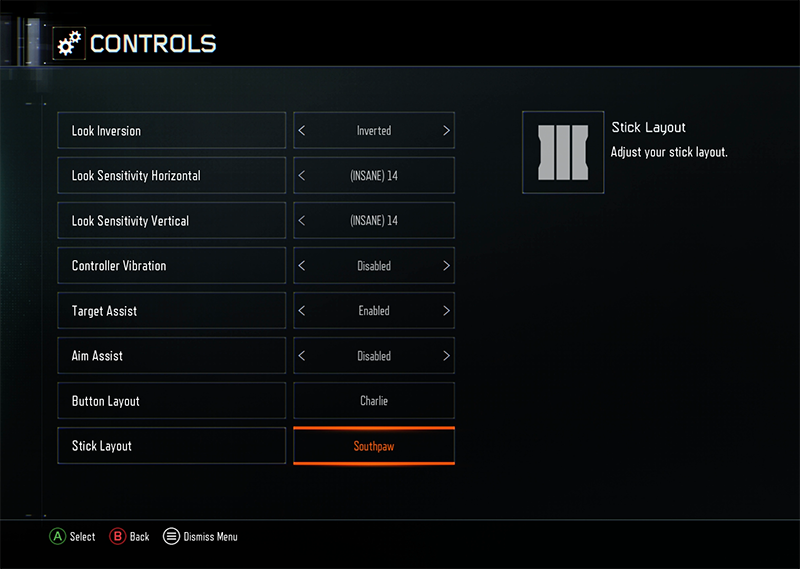
| Select the Stick Layout you use in game here so the Anti-Recoil Mod knows which one you aim with. NOTE: This step is very important. If you don't select the correct layout that you are using in game, the Mods in this GamePack will not function correctly.
To get to the Controls screen simply go to the Main Menu > Options > Controls then select Stick Layout.
|
Mod
|
Name
|
|
|
Default
|
|
|
Southpaw
|
|
|
Legacy
|
|
|
Legacy Southpaw
|
|
|
|
|
Class 3
Primary Rapid Fire
| When Rapid Fire is enabled, you can turn virtually any semi automatic weapon into a fully automatic weapon. This creates a very unique advantage for players using semi automatic weapons in Call of Duty games. While Rapid Fire will not usually make a fully automatic gun shoot any faster, it can have positive side effects on fully automatic guns such as reducing recoil, helping players conserve ammunition and achieve more headshots.
|
Mod
|
Name
|
Description
|
|
|
Mod Disabled
|
Enable/Disable Shortcut: Quick Press Select/Back/View/Touchpad + X/SQUARE
|
|
|
Optimized Rapid Fire
|
This Rapid Fire is optimized to be as fast as possible but at the same time ensures that every single shot is correctly registered by the game.
|
|
|
Adjustable Rapid Fire
Adjustable
|
With Adjustable Rapid Fire you can always get the optimum firepower for your favorite weapon. See the menu system instructions above for more information on how to adjust your Rapid Fire speed in this mode.
|
|
|
Pulse Rapid Fire
Adjustable
|
Pulse Rapid Fire can reach a faster rate of fire with burst type weapons.
|
OPTIMUM WEAPON PARAMETERS FOR RAPID FIRE, ANTI-RECOIL AND QUICK SCOPE
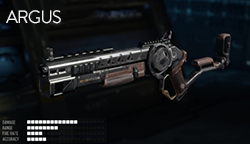
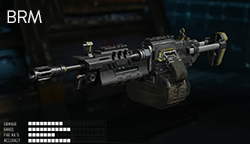
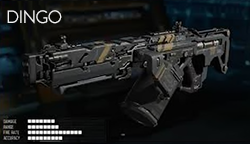
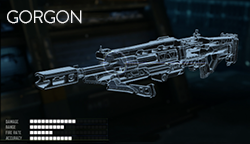
We get asked a lot about our weapon settings in our video demos, so we spent a good deal of time analyzing the optimum Rapid Fire and Anti-Recoil settings for most of the weapons in Black Ops 3.
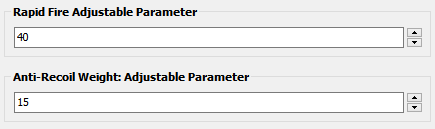
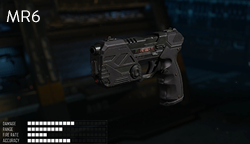
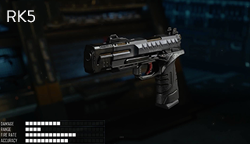
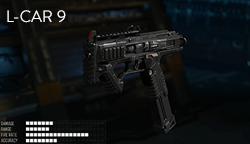
Set your Adjustable Parameters to the following values for Rapid Fire, Anti-Recoil and Quick Scope as a starting point. With these you should see good results, but remember every setup will be different, especially if you have different attachments and perks with each weapon.
|
PISTOLS
|
|
|
|
|
|
|
RAPID FIRE: 30 - ANTI-RECOIL: 20
|
RAPID FIRE: 30 - ANTI-RECOIL: 25
|
RAPID FIRE: 30 - ANTI-RECOIL: 23
|
|
|
|
|
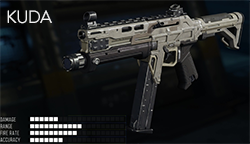
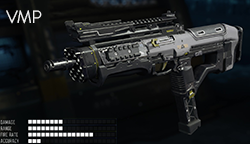
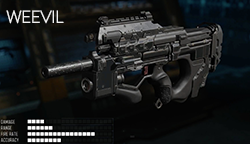
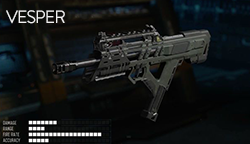
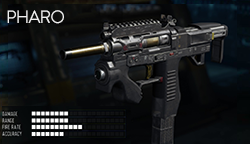
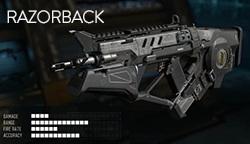
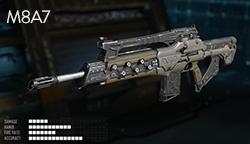
SUB MACHINE GUNS
|
|
RAPID FIRE: 40 - ANTI-RECOIL: 25
|
RAPID FIRE: 40 - ANTI-RECOIL: 35
|
RAPID FIRE: 40 - ANTI-RECOIL: 29
|
RAPID FIRE: 40 - ANTI-RECOIL: 35
|
|
RAPID FIRE: 40 - ANTI-RECOIL: 22
|
RAPID FIRE: 50 - ANTI-RECOIL: 20
|
|
|
|
|
|
|
|
|
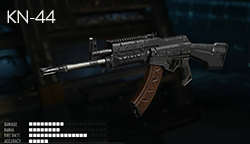
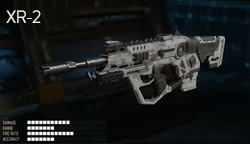
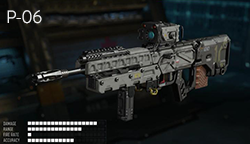
ASSAULT RIFLES
|
|
RAPID FIRE: 50 - ANTI-RECOIL: 25
|
RAPID FIRE: 40 - ANTI-RECOIL: 20
|
RAPID FIRE: 40 - ANTI-RECOIL: 24
|
RAPID FIRE: 50 - ANTI-RECOIL: 20
|
|
RAPID FIRE: 60 - ANTI-RECOIL: 22
|
RAPID FIRE: 60 - ANTI-RECOIL: 22
|
RAPID FIRE: 40 - ANTI-RECOIL: 20
|
|
|
|
|
|
|
|
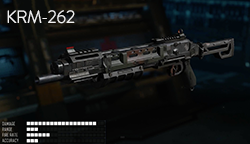
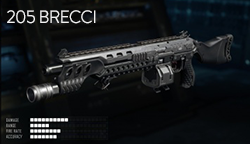
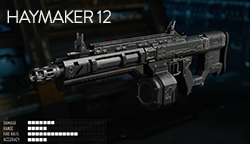
SHOTGUNS
|
|
RAPID FIRE: 40 - ANTI-RECOIL: N/A
|
RAPID FIRE: 70 - ANTI-RECOIL: 20
|
RAPID FIRE: 30 - ANTI-RECOIL: 21
|
RAPID FIRE: 40 - ANTI-RECOIL: N/A
|
|
|
|
|
|
|
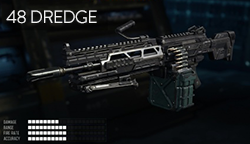
LIGHT MACHINE GUNS
|
|
RAPID FIRE: 52 - ANTI-RECOIL: 20
|
RAPID FIRE: 45 - ANTI-RECOIL: 20
|
RAPID FIRE: 42 - ANTI-RECOIL: N/A
|
RAPID FIRE: 40 - ANTI-RECOIL: N/A
|
|
|
|
|
|
|
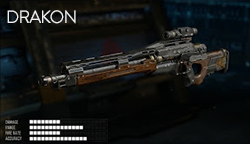
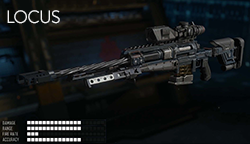
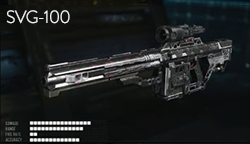
SNIPER RIFLES
|
|
RAPID FIRE: 40 - ANTI-RECOIL: 20
QUICK SCOPE: 350
|
RAPID FIRE: 40 - ANTI-RECOIL: N/A
QUICK SCOPE: 350
|
RAPID FIRE: 50 - ANTI-RECOIL: N/A
QUICK SCOPE: N/A
|
RAPID FIRE: 40 - ANTI-RECOIL: N/A
QUICK SCOPE: 380
|
|
|
|
|
Class 4
Secondary Rapid Fire
| When Secondary Rapid Fire is enabled, you can turn virtually any semi automatic weapon into a fully automatic weapon. This creates a very unique advantage for players using semi automatic weapons in Call of Duty games. While Rapid Fire will not usually make a fully automatic gun shoot any faster, it can have positive side effects on fully automatic guns such as reducing recoil, helping players conserve ammunition and achieve more headshots.
|
Mod
|
Name
|
Description
|
|
|
Mod Disabled
|
Enable/Disable Shortcut: Quick Press Select/Back/View/Touchpad + B/CIRCLE
|
|
|
Optimized Rapid Fire
|
This Secondary Rapid Fire is optimized to be as fast as possible but at the same time ensures that every single shot is correctly registered by the game.
|
|
|
Adjustable Rapid Fire
Adjustable
|
With Adjustable Secondary Rapid Fire you can always get the optimum firepower for your favorite weapon. See the menu system instructions above for more information on how to adjust your Rapid Fire speed in this mode.
|
|
|
Pulse Rapid Fire
Adjustable
|
Pulse Secondary Rapid Fire can reach a faster rate of fire with burst type weapons.
|
|
Fire Mode determines an assist action to be used together with Rapid Fire and/or Burst Fire. These are normally applied to the triggers.
|
Mod
|
Name
|
Description
|
|
|
Mod Disabled
|
|
|
|
Scope Disable
|
The scope (ADS) disables Rapid Fire and Burst Fire.
|
|
|
Scope Enable
|
The scope (ADS) enables Rapid Fire and Burst Fire.
|
|
|
Press Sensitive
|
Rapid fire and Burst Fire will only be activated by fully pressing the fire button.
|
|
|
Duel Independent
|
Independent Rapid Fire and Burst Fire on the left and right dual wield weapons. Dual independent is very similar to Akimbo except it lets you select whether to fire the left weapon, right weapon, or both at the same time.
|
|
|
Duel Easy
|
In Call of Duty, the soldier can arm himself with pistols in both hands in Akimbo mode. Firing both pistols means that the player must awkwardly pull both the left and right triggers. This can make aiming more difficult. When the Dual Easy feature is turned on, pulling the right trigger alone will fire both pistols using Rapid Fire or Burst Fire.
|
|
|
Duel Easy
Scope Disable
|
Dual Easy with Scope Disable feature.
|
|
|
Duel Easy Press Sensitive
Scope Enable
|
Dual Easy will only be activated when you fully press the fire button and with Scope Enable feature.
|
|
Assign an action to be performed automatically when you press the fire button.
|
Mod
|
Name
|
Description
|
|
|
Mod Disabled
|
|
|
|
Drop Shot
Scope Disable
|
When you pull the fire button, your character will drop to prone position and begin firing. This is useful for players that like to maintain stealth and reduce their target profile. This also assists in increasing accuracy in combat. This action is not performed if the scope (ADS) is in use.
|
|
|
Drop Shot
Press Sensitive
|
This performs the same action as drop shot but is only activated when you FULLY press the fire button.
|
|
|
Jump Shot
Scope Disable
|
When you press the fire button your character will immediately jump and begin firing. This action is not performed if the scope (ADS) is in use.
|
|
|
Jump Shot
Press Sensitive
|
Performs the same action as jump shot but is only activated when you FULLY press the fire button.
|
|
|
Side Shot
Scope Disable
|
When you press the fire button, your character will begin to make side movements and begin firing, confusing the enemy in the process. This action is not performed if the scope (ADS) is in use.
|
|
|
Side Shot
Press Sensitive
|
Performs the same action as side shot but is only activated when you FULLY press the fire button.
|
|
|
Scope Shot
Scope Disable
|
When you pull the fire button, your character will automatically use the scope (ADS). This is useful for single shot weapons, decreasing the spread effect and increasing accuracy in combat. This action is not performed if the scope (ADS) is in use.
|
|
Burst firing is designed to turn semi-automatic and automatic weapons into burst firing weapons. When this feature is enabled, your weapon will fire in bursts similar to the M16 and can be used with 1, 2, 3, 4, 5, or 6 round bursts. Burst firing can help reduce recoil and conserve ammunition.
The Burst Fire Mod can be used by itself (With the Rapid Fire Mod disabled) or can be used as a modifier for the Rapid Fire Mod. That is, with Burst Fire and Rapid Fire enabled together, you will get a repeating burst of shots essentially giving you automatic Burst Fire. The delay between the bursts can be set with the Rapid Fire adjustable parameter allowing you to select how many rounds are fired per burst and the amount of time between bursts for a truly customizable experience.
NEW FEATURE
When enabling Burst Fire, it becomes the dominant Rapid Fire MOD in use (i.e. if both Primary Rapid Fire and Burst Fire are enabled at the same time, the Burst Fire MOD will take precedence. If you want to use the Primary Rapid Fire MOD you have to disable Burst Fire).
|
Mod
|
Name
|
|
|
Mod Disabled
|
|
|
1 Round per Burst
|
|
|
2 Rounds per Burst
|
|
|
3 Rounds per Burst
|
|
|
4 Rounds per Burst
|
|
|
5 Rounds per Burst
|
|
|
6 Rounds per Burst
|
|
This Mod compensates for vertical recoil while firing a weapon by automatic moving the control stick in the opposite direction of the one your gun is moving while firing. The adjustable parameter sets how much the compensation should be.
Remember, there isn't a one-size-fits-all setup for Anti-Recoil sensitivity due to different weapons having different perks and attachments affecting weight distribution. You can try the adjustable values that we use in our own testing which are listed in the above chart next to the Rapid Fire values - you should use these as a baseline and set to whatever you feel works best for you.
TIP
If your weapon is moving UP when you fire, you need a LARGER number in the adjustable parameter.
If your weapon is moving DOWN when you fire, you need a SMALLER number in the adjustable parameter.
|
Mod
|
Name
|
Description
|
|
|
Mod Disabled
|
Enable/Disable Shortcut: Quick Press Select/Back/View/Touchpad + LB/L1
|
|
|
Anti-Recoil
|
Anti-Recoil is activated while firing.
|
|
|
Anti-Recoil
Scope Enable
|
Anti-Recoil is activated while firing and aiming.
|
|
|
Anti-Recoil
Scope Disable
|
Anti-Recoil is activated while firing and NOT aiming.
|
|
|
Inverted-Y Anti-Recoil
|
Anti-Recoil with Inverted-Y Axis is activated while firing.
|
|
|
Inverted-Y Anti-Recoil
Scope Enable
|
Anti-Recoil with Inverted-Y Axis is activated while firing and aiming.
|
|
|
Inverted-Y Anti-Recoil
Scope Disable
|
Anti-Recoil with Inverted-Y Axis is activated while firing and NOT aiming.
|
|
Quick Scope is widely used in Call of Duty games. The idea behind quick scope is to use a sniper rifle, scope IN and fire the shot as the gun scopes in. Perfecting the aiming and timing will allow you to become a one-man commando with your sniper rifle.
|
Mod
|
Name
|
Description
|
|
|
Mod Disabled
|
|
|
|
Quick Scope: TAP
Timing Adjustable
|
To fire a quick scope shot, quickly TAP your scope button (less than 140 ms tap). The Mod will automatically scope in, take a shot, and scope out. Check the menu system instructions above for more information on how to adjust the timing in this mode.
|
|
|
Quick Scope: Press Sensitive
Timing Adjustable
|
Same as 1 but the Quick Scope is activated when the scope (ADS) button is FULLY pressed in less than 300 ms
|
|
|
Quick Scope: Fully Auto
Timing Adjustable
|
Same as 1 but the Quick Scope is activated every time the scope (ADS) button is pressed. In this mode it is not possible to zoom in on enemies.
|
|
This mode is specially designed for sniper rifles. It automatically holds the sniper's breath when scoping in. Upon activation the Mod will hold the sniper's breath when scoping. The player no longer has to push the left analog stick to hold breath. NOTE: Sniper Breath Mod CAN be used with Auto Sprint and/or Quick Scope simultaneously.
|
Mod
|
Name
|
Description
|
|
|
Mod Disabled
|
|
|
|
Fully Auto
|
Hold breath at the same time you press the scope (ADS) button.
|
|
|
Press Sensitive
|
Hold breath is only active if the scope (ADS) button is FULLY pressed.
|
|
|
|
|
Class 11
Auto Sprint/Easy Double Jump
| If you are tired of constantly pressing the left analog stick to make your character sprint, Auto Sprint is just what you have been looking for. This Mod also allows you to simply press and hold the jump button and it will automatically release and hold to activate double jump. NOTE: Auto Sprint/Easy Double Jump Mod CAN be used with Sniper Breath and Quick Scope simultaneously.
|
Mod
|
Name
|
Description
|
|
|
Mod Disabled
|
Enable/Disable Shortcut: Quick Press Select/Back/View/Touchpad + Y/TRIANGLE
|
|
|
Always On
|
Your character will sprint at the same time you begin to move him forward.
|
|
|
Press Sensitive
|
Your character will sprint if the analog stick is FULLY pressed forward. The character will walk regular speed if the analog stick is only slightly pressed forward.
|
|
|
Always On + Easy Double Jump
|
Your character will sprint at the same time you begin to move him forward. Also press and hold the jump button and it will automatically release and hold to activate double jump.
|
|
|
Press Sensitive + Easy Double Jump
|
Your character will sprint if the analog stick is FULLY pressed forward. The character will walk regular speed if the analog stick is only slightly pressed forward. Also press and hold the jump button and it will automatically release and hold to activate double jump.
|
|
Black Ops 3 applies a "dead-zone" to the trigger buttons, which means the trigger (either shooting or ADS) need to be pressed almost half way down before they are registered by the game. With this Hair Trigger Mod you can ensure your weapon will fire or ADS at the slightest amount of pressure.
NEW FEATURE
Thanks to KittyDawn for this great new MOD. The LT/L2 and RT/R2 triggers are digital converted so that they perform with ultra sensitivity without having to hardwire any extra components to your controller - saving your warranty and money!
|
Mod
|
Name
|
|
|
|
Mod Disabled
|
|
|
|
ADS Button Only
|
|
|
|
Fire Button Only
|
|
|
|
Both ADS + Fire Buttons
|
|
|
Automatic PS4 Crossover
|
|
|
When this GamePack is being used on a PlayStation 4 and detects the connected controller is not a DualShock 4, it will automatically reassign Touchpad to the Select/Back/View Button and enable a toggle to the PS4 Share Screen.
|
|
|
Crossover Shortcut to DualShock 4 Touchpad:
Toggle to PlayStation 4 Share Screen:
Troubleshooting
|
|
|
If you find your GamePack isn't working correctly, the memory in the Cronus device where the settings are stored may have become corrupted. In this case, we recommend that you erase your memory slots using the Cronus Pro option in Tools > Device Cleanup > Erase Memory Slots. There will be an option to clear the memory slots in Cronus Pro. This step is not necessary, although recommended if you're not using the other slots.
If you're still having issues and want to check that your Cronus Device is functioning correctly with scripts, but you're not too sure how to test, we recommend you try out the easy to use Cronus Stress Test Script by Cronus Community senior staff member, Lex Lost.
|
|
|
Call of Duty® is a registered trademark or trademarks of Activision Publishing, Inc.® in the United States and/or other countries.
The “PS” Family logo is a registered trademark and “PS4” is a trademark of Sony Computer Entertainment Inc.
Microsoft, Xbox One and the Xbox logos are trademarks of the Microsoft group of companies.
Other product names used herein are for identification purposes only and might be trademarks of their respective companies. We disclaim any and all rights to those marks.
|