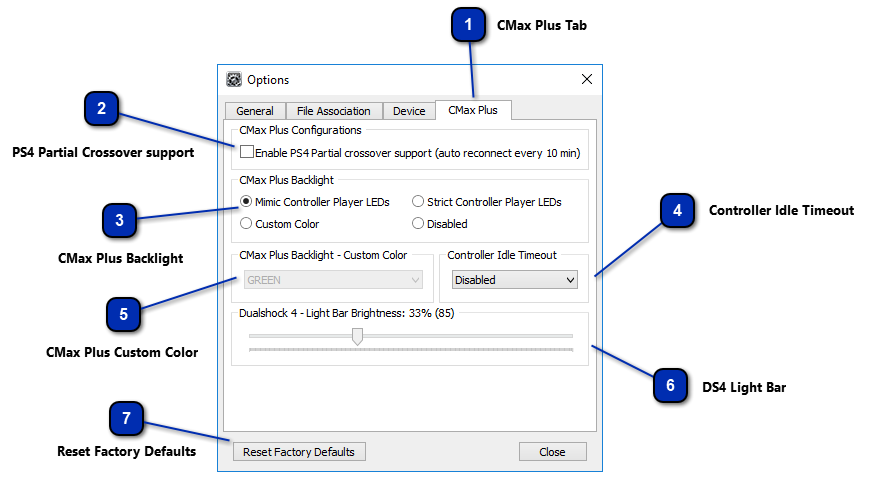
CMax Plus Tab
Selection this to gain access to the CronusMAX PLUS specific settings.
|
 PS4 Partial Crossover support
Enable this option by checking the box will cause the CronusMAX PLUS to automatically disconnect and reconnect to the PlayStation 4 every 10 minutes (This is a work around for the PS4 security timer that checks for the presence of a genuine controller every few seconds). There will be a 1 second pause in controller output while this occurs. More information can be found here.
This option is not necessary with Firmware version 1.20 and above as you can use a USB Hub to simultaneously connect your Crossover controller and DualShock 4 controller to the CronusMAX thus eliminating the timeout every 10 minutes - giving you PS4 Full Crossover support. This option is disabled by default.
|
 CMax Plus Backlight
You can choose the behavior for the Backlight LED which surrounds the Display on the CronusMAX PLUS.
|
Mimic Controller Player LEDs
|
The CronusMAX PLUS Backlight LED will mimic the controller LEDs using the DualShock 4 color code: Blue for player 1, Red for player 2, Green for player 3 and Magenta for player 4. This option is very useful to get GamePack LED feedback when using an Xbox One controller. This option is enabled by default.
|
|
Strict Controller Player LEDs
|
The CronusMAX PLUS Backlight LED will strictly display the Player LED set by the console, leaving the controller LEDs free to be used by GPC Scripts or GamePacks. This mode also uses the DualShock 4 color code to represent the Player.
|
|
|
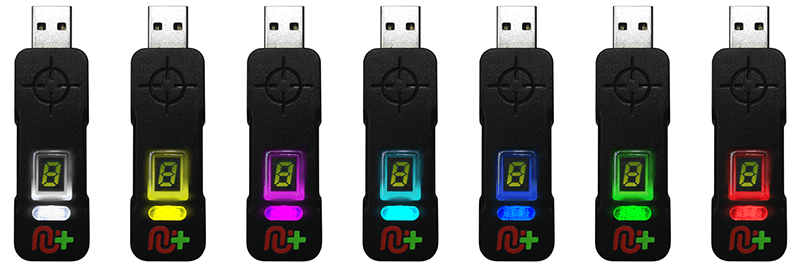
Choose between 7 different custom colors: White, Yellow, Magenta, Cyan, Blue, Green & Red.
|
|
Disabled
|
Disable the CronusMAX PLUS Backlight LED.
|
|
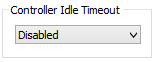
 Controller Idle Timeout
Configure the CronusMAX PLUS to automatically shut down your wireless controller after a certain idle time. Very useful option to conserve battery life. This option is disabled by default.
|
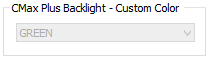
 CMax Plus Custom Color
If you have set your CronusMAX PLUS to display a custom color, you can choose which you wish it to display
|
 DS4 Light Bar
This slider allows you to select how bright you wish the DualShock 4 light bar to be. This is very useful if the light bar is reflecting on your TV screen and distracting you from gameplay. This option is set to 33% (85) as default.
|
 Reset Factory Defaults
Resets all factory default settings in the Device and CMax Plus tabs.
|
|