Grand Theft Auto V Cheat Pack
Introduction
|
|
|
GamePack Author(s): KittyDawn
Compatible CronusMAX Firmware: 1.24+
Compatible Controllers: Dualshock 4, Dualshock 3, Xbox One, Xbox 360, Wii U Pro
Compatible Systems: PlayStation 4, Xbox One, PlayStation 3, Xbox 360, and Microsoft Windows
The Grand Theft Auto V Cheat Pack contains all 31 cheats, which can be assigned to 12 separate buttons. GTA V cheats are usually activated by entering specific combinations of buttons on the controller - this GamePack does all of that hard work for you. Cheats generally make the game easier to play, for example by restoring Michael, Trevor or Franklin's health, by supplying ammunition, or by removing police wanted levels. However, some cheats have interesting or unusual effects, and such cheats are added for comedic purposes, or to make the gameplay more exciting.
All available cheats are listed below, and they can be used during normal gameplay in single player mode; they can not be used with GTA Online. Once a cheat is activated, a message appears above the mini-map to indicate that the cheat is activated. Cheats can be deactivated by entering the same shortcut.
We also invite you to join the Cronus Discord Channel - setup and run by members of the Cronus Community. There are several channels dedicated to GamePacks which offer live support and feedback, including direct support from senior members of the Cronus Community. Use this link to join our server: https://discord.gg/mJgQyM4
|
|
|
GamePack GCI Options
|
|
|
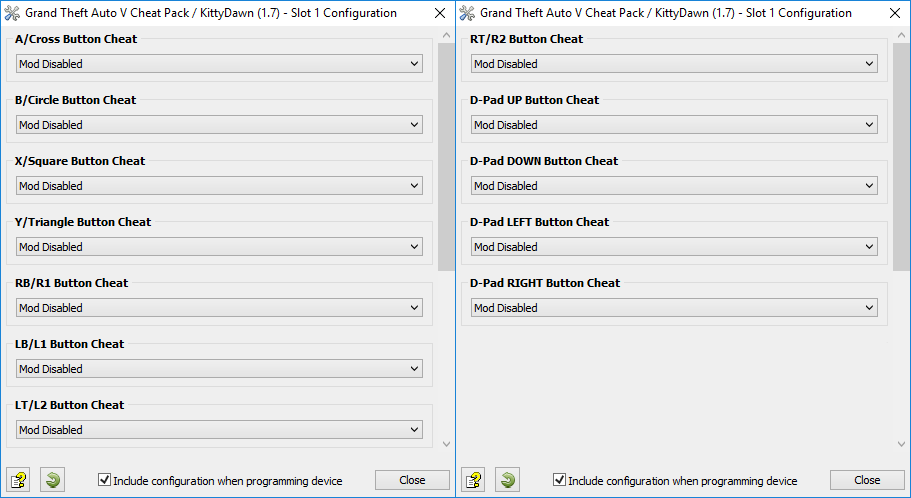
All GamePacks have Mods that can be tuned and customized to your preference. This scripting engine is what makes the CronusMAX so powerful and extremely popular with the gaming community. Gaming Mod configuration is now made more accessible than ever before with the new GCI (GamePack Configuration Interface). It pops up as soon as you program the GamePack to your Cronus ( Video). Some Mods can be directly enabled/disabled here, and some are disabled in-game by default, but have several available options that can be set here and then enabled or activated while in-game.
|
|
|
GamePack Setup
|
|
|
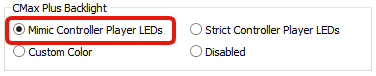
If you have a CronusMAX PLUS, open the Cronus PRO software and go to Tools > Options > CMax Plus and enable "Mimic Controller Player LEDs" for the backlight LED features to work.
|
|
|
|
|
List of Cheats
Inc. all Player Cheats, Pawn Vehicles and World Cheats
|
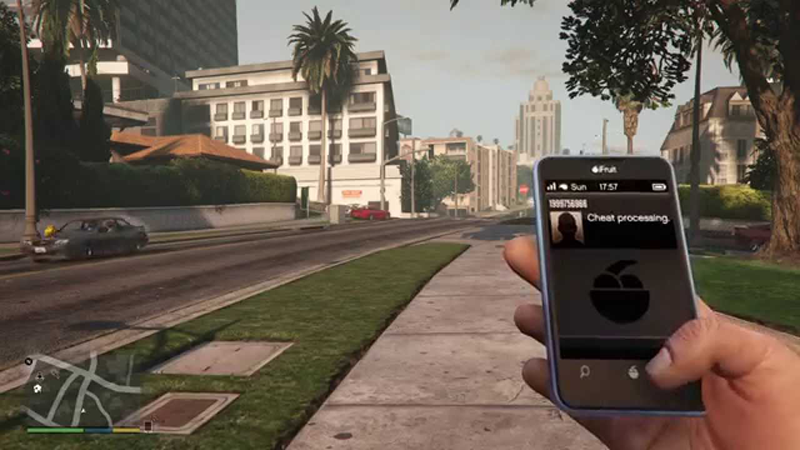
With a quick press of the assigned button, the CronusMAX will open the phone in-game and dial the cheat code automatically for you. All cheats can be used during normal gameplay in single player mode - they can not be used with GTA Online.
How to Activate GTA V Cheats
|
|
|
Make A Fresh Save: Since cheats disable Achievements and Trophies in the game, you'll need to make sure you have a save point to return to once you're done using them. Save your game before using the codes.
Choose the Cheat: There are 31 Grand Theft Auto V cheats to choose from, each with different effects, and you can use up to 12 at a time with this pack, each saved to its own shortcut toggle in the the GCI. Activating the toggle is quite simple. Press the console's action button plus one of 12 available shortcut toggles provided. Everything from this point on is fully automated.....
|
Console
|
Shortcut Toggle
|
|
|
|
|
|
|
|
|
|
|
|
|
|
|
|
|
|
|
|
|
|
|
|
|
|
|
|
|
|
Press the console's 'action' button
+ shortcut with the saved cheat code.
|
Open the Cell Phone Menu: You need to access your cellphone in order to activate cheats. Activating the shortcut toggle performs this step automatically.
Dial the Cheat Code: In order to activate the cheat, a code has to be entered as if you were calling a number in-game. To bring up the dial pad of your cell phone you would usually need to press X/SQUARE, enter the code and call the number. The GamePack also performs all these steps automatically.
Cheat Entry Successful: If the cheat code number was accepted, you should get a notification that it is now active.
|
|
|
|
Option
|
Cheat Name
|
Notes
|
|
|
Player Cheat - Give Parachute
|
Spawn a Parachute.
|
|
|
Player Cheat - 5 Minute Invincibility
|
Player becomes invincible for 5 minutes. Doesn't affect vehicles.
|
|
|
Player Cheat - Drunk Mode
|
Make Michael, Trevor or Franklin drunk.
|
|
|
Player Cheat - Explosive Melee Attacks
|
Punches and kicks have an explosive impact.
|
|
|
Player Cheat - Bang Bang!
|
Bullets have an explosive impact.
|
|
|
Player Cheat - Fast Run
|
Run faster than normal.
|
|
|
Player Cheat - Fast Swim
|
Swim faster than normal.
|
|
|
Player Cheat - Flaming Bullets
|
Everything you shoot is set on fire.
|
|
|
Player Cheat - Give Weapons/Ammo
|
Give weapons and ammunition.
|
|
|
Player Cheat - Max Health and Armor
|
Refill your health and armor.
|
|
|
Player Cheat - Special Ability Recharge
|
Recharge Michael, Trevor or Franklin's special ability.
|
|
|
Player Cheat - Skyfall
|
Teleport to the sky (make sure you have a parachute!).
|
|
|
Player Cheat - Slow Motion Aim
|
Aim in slow motion. Enter multiple times to make it slower.
|
|
|
Player Cheat - Super Jump
|
Jump 10 times higher than normal.
|
|
|
Player Cheat - Wanted Level Down
|
Decrease wanted level by 1 star.
|
|
|
Player Cheat - Wanted Level Up
|
Increase wanted level by 1 star.
|
|
|
Spawn Vehicle - BMX
|
Spawn a BMX bicycle.
|
|
|
Spawn Vehicle - Buzzard
|
Spawn a Buzzard helicopter with guns and rockets.
|
|
|
Spawn Vehicle - Caddy
|
Spawn a Caddy.
|
|
|
Spawn Vehicle - Comet
|
Spawn a Comet.
|
|
|
Spawn Vehicle - Duster
|
Spawn a Duster airplane.
|
|
|
Spawn Vehicle - Stretch Limo
|
Spawn a Stretch Limousine.
|
|
|
Spawn Vehicle - PCJ
|
Spawn a PCJ motorcycle.
|
|
|
Spawn Vehicle - Rapid GT
|
Spawn a Rapid GT.
|
|
|
Spawn Vehicle - Sanchez
|
Spawn a Sanchez motorcycle.
|
|
|
Spawn Vehicle - Stunt Plane
|
Spawn a Stunt Plane.
|
|
|
Spawn Vehicle - Trashmaster
|
Spawn a Trashmaster.
|
|
|
World Cheat - Change Weather
|
Enter multiple times to cycle through different weather types: extra sunny, clear, cloudy, smoggy, overcast, rainy, thundery, clearing, snowy.
|
|
|
World Cheat - Moon Gravity
|
Experience light gravity.
|
|
|
World Cheat - Slidey Cars
|
Makes the car handling more like GTA IV.
|
|
|
World Cheat - Slow Motion
|
Slows down gameplay. Enter multiple times to make it slower.
| |
|
|
A/CROSS Button Cheat
Cheat 1
|
Select which cheat to assign to the A/CROSS shortcut toggle.
|
Console
|
Shortcut Toggle
|
|
|
|
|
|
|
|
|
|
|
|
|
|
|
|
Press the console's 'action' button
+ shortcut with the saved cheat code.
|
|
Option
|
Name
|
|
|
Cheat Disabled
|
|
|
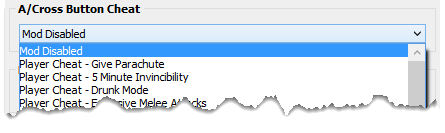
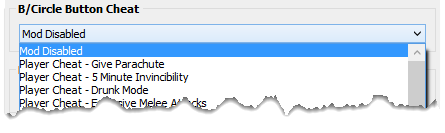
Select Cheat from list in the GCI (see image below).
|
|
|
|
B/CIRCLE Button Cheat
Cheat 2
|
Select which cheat to assign to the B/CIRCLE shortcut toggle.
|
Console
|
Shortcut Toggle
|
|
|
|
|
|
|
|
|
|
|
|
|
|
|
|
Press the console's 'action' button
+ shortcut with the saved cheat code.
|
|
Option
|
Name
|
|
|
Cheat Disabled
|
|
|
Select Cheat from list in the GCI (see image below).
|
|
|
|
X/SQUARE Button Cheat
Cheat 3
|
Select which cheat to assign to the X/SQUARE shortcut toggle.
|
Console
|
Shortcut Toggle
|
|
|
|
|
|
|
|
|
|
|
|
|
|
|
|
Press the console's 'action' button
+ shortcut with the saved cheat code.
|
|
Option
|
Name
|
|
|
Cheat Disabled
|
|
|
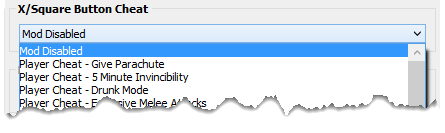
Select Cheat from list in the GCI (see image below).
|
|
|
|
Y/TRIANGLE Button Cheat
Cheat 4
|
Select which cheat to assign to the Y/TRIANGLE shortcut toggle.
|
Console
|
Shortcut Toggle
|
|
|
|
|
|
|
|
|
|
|
|
|
|
|
|
Press the console's 'action' button
+ shortcut with the saved cheat code.
|
|
Option
|
Name
|
|
|
Cheat Disabled
|
|
|
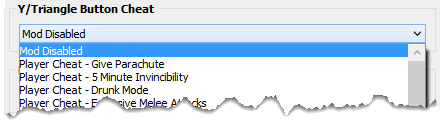
Select Cheat from list in the GCI (see image below).
|
|
|
|
RB/R1 Button Cheat
Cheat 5
|
Select which cheat to assign to the RB/R1 shortcut toggle.
|
Console
|
Shortcut Toggle
|
|
|
|
|
|
|
|
|
|
|
|
|
|
|
|
Press the console's 'action' button
+ shortcut with the saved cheat code.
|
|
Option
|
Name
|
|
|
Cheat Disabled
|
|
|
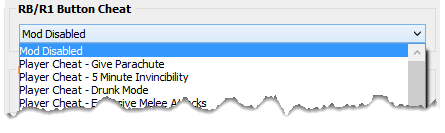
Select Cheat from list in the GCI (see image below).
|
|
|
|
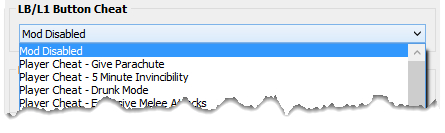
LB/L1 Button Cheat
Cheat 6
|
Select which cheat to assign to the LB/L1 shortcut toggle.
|
Console
|
Shortcut Toggle
|
|
|
|
|
|
|
|
|
|
|
|
|
|
|
|
Press the console's 'action' button
+ shortcut with the saved cheat code.
|
|
Option
|
Name
|
|
|
Cheat Disabled
|
|
|
Select Cheat from list in the GCI (see image below).
|
|
|
|
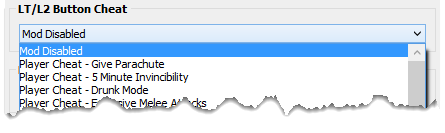
LT/L2 Button Cheat
Cheat 7
|
Select which cheat to assign to the LT/L2 shortcut toggle.
|
Console
|
Shortcut Toggle
|
|
|
|
|
|
|
|
|
|
|
|
|
|
|
|
Press the console's 'action' button
+ shortcut with the saved cheat code.
|
|
Option
|
Name
|
|
|
Cheat Disabled
|
|
|
Select Cheat from list in the GCI (see image below).
|
|
|
|
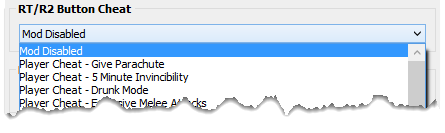
RT/R2 Button Cheat
Cheat 8
|
Select which cheat to assign to the RT/R2 shortcut toggle.
|
Console
|
Shortcut Toggle
|
|
|
|
|
|
|
|
|
|
|
|
|
|
|
|
Press the console's 'action' button
+ shortcut with the saved cheat code.
|
|
Option
|
Name
|
|
|
Cheat Disabled
|
|
|
Select Cheat from list in the GCI (see image below).
|
|
|
|
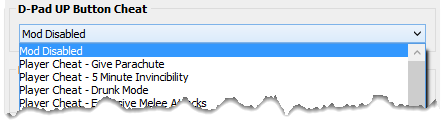
D-PAD UP Button Cheat
Cheat 9
|
Select which cheat to assign to the D-PAD UP shortcut toggle.
|
Console
|
Shortcut Toggle
|
|
|
|
|
|
|
|
|
|
|
|
|
|
|
|
Press the console's 'action' button
+ shortcut with the saved cheat code.
|
|
Option
|
Name
|
|
|
Cheat Disabled
|
|
|
Select Cheat from list in the GCI (see image below).
|
|
|
|
D-PAD DOWN Button Cheat
Cheat 10
|
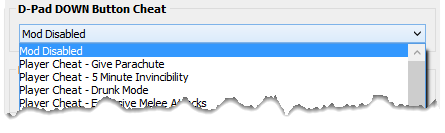
Select which cheat to assign to the D-PAD DOWN shortcut toggle.
|
Console
|
Shortcut Toggle
|
|
|
|
|
|
|
|
|
|
|
|
|
|
|
|
Press the console's 'action' button
+ shortcut with the saved cheat code.
|
|
Option
|
Name
|
|
|
Cheat Disabled
|
|
|
Select Cheat from list in the GCI (see image below).
|
|
|
|
D-PAD LEFT Button Cheat
Cheat 11
|
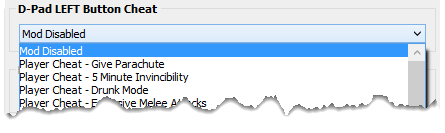
Select which cheat to assign to the D-PAD LEFT shortcut toggle.
|
Console
|
Shortcut Toggle
|
|
|
|
|
|
|
|
|
|
|
|
|
|
|
|
Press the console's 'action' button
+ shortcut with the saved cheat code.
|
|
Option
|
Name
|
|
|
Cheat Disabled
|
|
|
Select Cheat from list in the GCI (see image below).
|
|
|
|
D-PAD RIGHT Button Cheat
Cheat 12
|
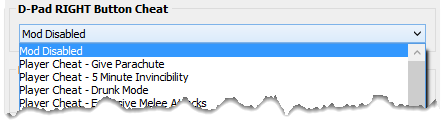
Select which cheat to assign to the D-PAD RIGHT shortcut toggle.
|
Console
|
Shortcut Toggle
|
|
|
|
|
|
|
|
|
|
|
|
|
|
|
|
Press the console's 'action' button
+ shortcut with the saved cheat code.
|
|
Option
|
Name
|
|
|
Cheat Disabled
|
|
|
Select Cheat from list in the GCI (see image below).
|
|
Utility Toggles
|
|
|
Utility toggles are designed to give you additional control of the GamePack in real-time. A simple tap of a pre-configured button combo and the toggle is instantly activated. All toggles have rumble feedback and LED notifications if enabled.
|
|
|
|
|
Global Killswitch
Utility 1 - Speed Toggle
|
Quickly enable or disable the entire GamePack with this convenient killswitch toggle.
|
Console
|
Speed Toggle
|
LED
|
|
|
|
|
|
|
|
|
|
|
|
|
|
|
|
|
|
|
|
|
|
|
|
|
|
|
|
|
|
|
Led: GamePack On = Pink LED
GamePack Off = No LED
| |
Automatic PS4 Crossover
|
|
|
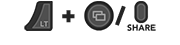
When this GamePack is being used on a PlayStation 4 and detects the connected controller is not a DualShock 4, it will automatically reassign Touchpad to the Select/Back/View Button and enable a toggle to the PS4 Share Screen.
|
|
|
Crossover Shortcut to DualShock 4 Touchpad:
Toggle to PlayStation 4 Share Screen:
Troubleshooting
|
|
|
If you find your GamePack isn't working correctly, the memory in the Cronus device where the settings are stored may have become corrupted. In this case, we recommend that you erase your memory slots using the Cronus Pro option in Tools > Device Cleanup > Erase Memory Slots. There will be an option to clear the memory slots in Cronus Pro. This step is not necessary, although recommended if you're not using the other slots.
If you're still having issues and want to check that your Cronus Device is functioning correctly with scripts, but you're not too sure how to test, we recommend you try out the easy to use Cronus Stress Test Script by Cronus Community senior staff member, Lex Lost.
|
|
|
GTA IV Cheat Pack - Toggle Cheat Sheet
|
|
SHORTCUT TOGGLES
|
|
Cheat 1
Cheat 2
Cheat 3
Cheat 4
Cheat 5
Cheat 6
Cheat 7
Cheat 8
Cheat 9
Cheat 10
Cheat 11
Cheat 12
|
|
SPEED TOGGLES
|
|
Utilities
PS4 Share Screen
(Crossover Controllers)
Global Kill Switch
|
GTA, Grand Theft Auto, and the Grand Theft Auto logo are registered or unregistered trademarks of Rockstar Games, Inc. in the U.S. and/or other countries.
The “PS” Family logo is a registered trademark and “PS4” is a trademark of Sony Computer Entertainment Inc.
Microsoft, Xbox One and the Xbox logos are trademarks of the Microsoft group of companies.
Other product names used herein are for identification purposes only and might be trademarks of their respective companies. We disclaim any and all rights to those marks.
|