Knack
Compatible CronusMAX PLUS Firmware: 1.24+
Compatible Controllers: Dualshock 4, Dualshock 3, Xbox One, Xbox 360, Wii U Pro
Compatible Systems: Playstation 4
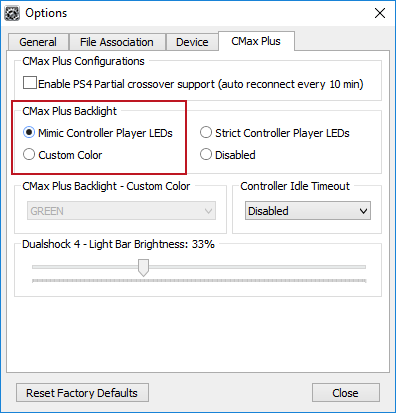
If you have a CronusMAX PLUS, make sure you goto Tools > Options > CMax Plus and enable "Mimic Controller Player LEDs" in the CMax Plus Backlight area if you want the CronusMAX PLUS Backlight LED features to work. Also, for more information on the benefits of using a USB Hub with your CronusMAX PLUS Click Here
GamePack Operation |
 |
 |
 |
 |
 |
|
|
 |
 |
|
 |
 |
 |
|
 |
 |
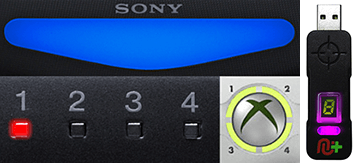 |
Player LED 1: Controller in regular mode, the GamePack is Disabled
(Blue on DS4 / CronusMAX PLUS
Backlight LED).
Player LED 4: The GamePack is Enabled (Pink on DS4 / CronusMAX PLUS
Backlight LED).
|
GamePack Configuration |
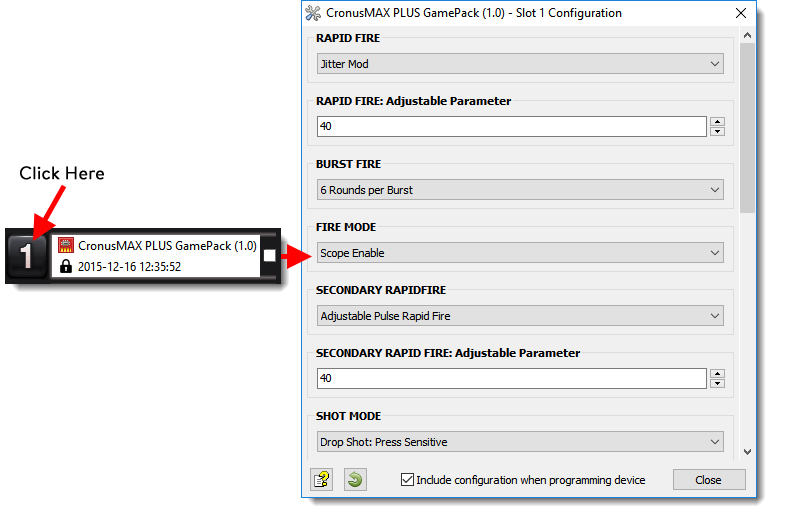
Pre-configure your GamePack settings using the GamePack Configuration Interface
(GCI) in the Cronus PRO software. The GCI opens automatically when you load a
GamePack to a memory slot, or you can simply click on the memory slot number to the left of
the loaded GamePack to open the GCI. As soon as you select your preferred settings, close
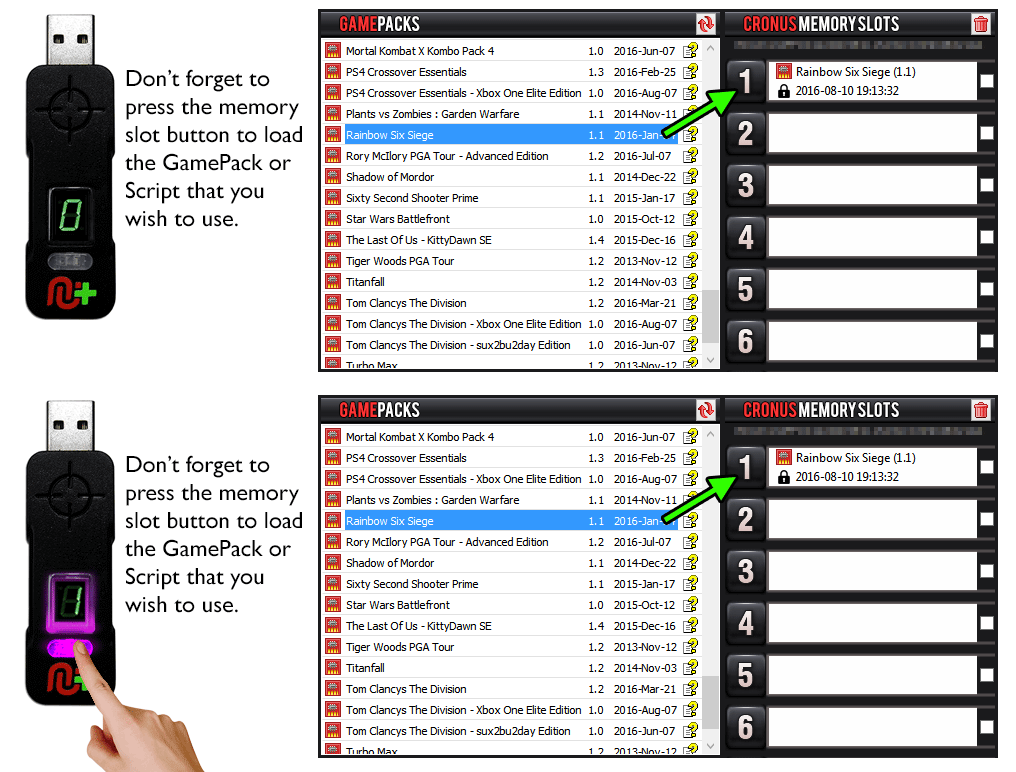
the GCI and click the PROGRAM DEVICE button. To select the GamePack you wish to use on your
console, press the Memory Slot button on the CronusMAX PLUS so that it highlights the
corresponding number on the LED (so if you have a GamePack loaded to Memory Slot 1, the LED
on the CronusMAX PLUS should display the number 1).
|
|
|
 |
|
Hold
SELECT+START for 2 seconds to enter menu mode.
|
|
|
|
 |
|
Hold
SHARE+OPTIONS for 2 seconds to enter menu mode*
|
|
|
|
 |
|
Hold
BACK+START for 2 seconds to enter menu mode.
|
|
|
|
 |
|
Hold
VIEW+MENU for 2 seconds to enter menu mode.
|
Always keep the SELECT / SHARE / BACK / VIEW button pressed while in Menu Mode. To exit Menu mode, release the SELECT / SHARE / BACK / VIEW button.
|
|
Player LED 4 will blink the number of the current
Class (DS4 / CronusMAX PLUS Backlight LED will flash Pink).
Player LED 3 will blink the number of the active
Mod for the current Class (DS4 / CronusMAX PLUS Backlight LED will flash
Green).
Note: If the Player LED 3 is not blinking, it means either no Mod
is loaded/disabled or the default setting is selected for the current Class. See
below for instructions how to navigate between Classes and Mod's.
|
 
|
Goes
Up
|
|
Goes
Down
|
 
|
Goes
Up
|
  |
Goes
Down
|
GamePack Classes and Mods |
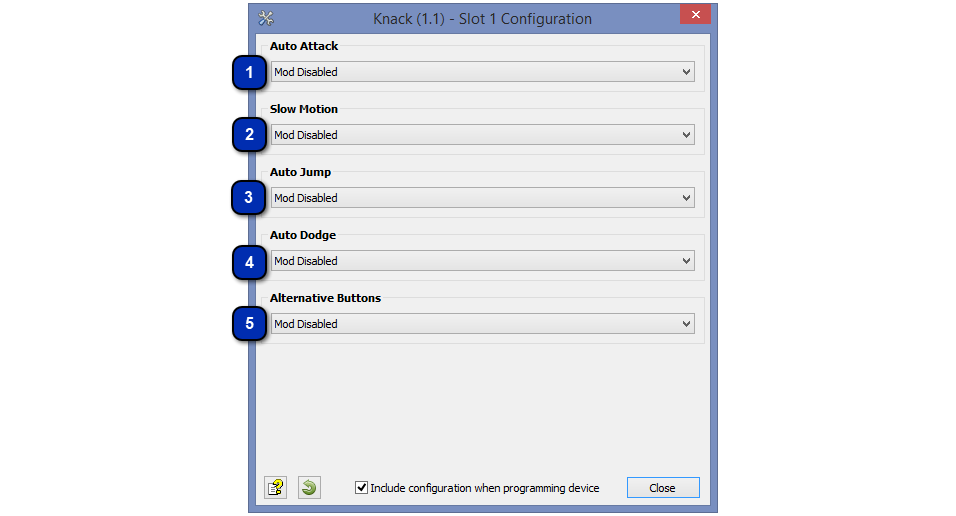


The Turbo Dodge eliminates the cool down time between dodges by forcing Knack to
jump after a dodge. It ensures Knack can perform subsequent dodges
instantaneously. Alternatively this Mod can be set to automatically execute an
attack after a dodge.
|


Enabling this Mod the special attacks can be executed by pressing just one
button: LB/L1 - Tornado Attack, LT/L2 - Blast Attack, RB/R1 - Ranged Attack.
Additionally Mod also allows you to perform the action "Dodge" by
pressing the RT/R2 button, indicating the direction of the dodge through the
left analog stick.
|


Quick Reference: Classes and Mods |
|
01: AUTO ATTACK
|
02: SLOW MOTION
|
03: AUTO JUMP
|
|
00:
Mod Disabled
01.
Turbo Attack
02.
Attack Combo
|
00:
Mod Disabled
01:
Mod Enabled
|
00:
Mod Disabled
01:
Double Jump
02:
Triple Jump
03:
Quad Jump
|
|
04: AUTO DODGE
|
05: ALTERNATIVE BUTTONS
|
|
|
00:
Mod Disabled
01:
Turbo Dodge
02:
Dodge Attack
|
00:
Mod Disabled
01:
Mod Enabled
|
|