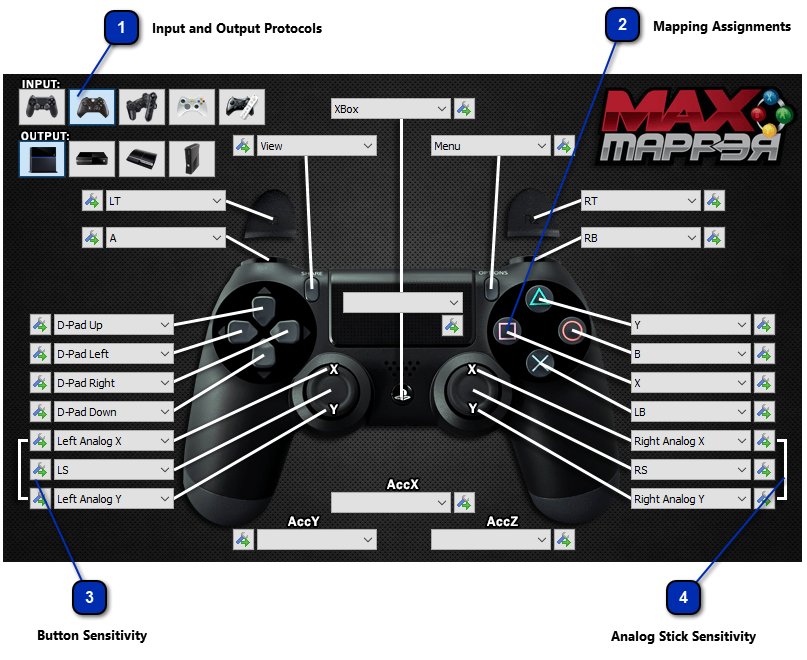
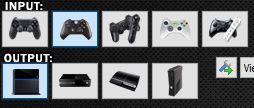
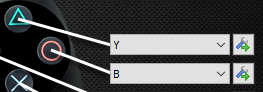
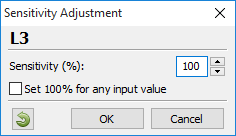
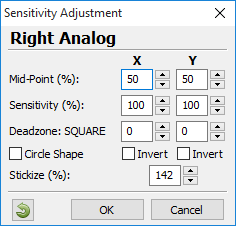
Analog Stick Sensitivity The sensitivity adjustment on the analog sticks are a special case. The adjustment is made on the pair (X, Y) in order to allow a more advanced configuration. This makes it possible to have a more precise control of the values translation from other sources such as motion sensors, IR sensors, or the FragFX Mouse Controller for the analog stick.
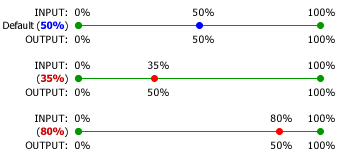
• Mid-Point: This changes the midpoint value of an entry, e.g.: the default midpoint is 50%, if you change it to 35 you are defining two sensitivity ranges, a high sensitivity range (close to rest position) and a low sensitivity range (when far from rest position), as shown in the figure below
If you configure this parameter with 80 you are defining a zone of low sensitivity when close to the rest position (better accuracy), and a zone of high sensitivity when far from rest position (fast movements).
• Sensitivity: This is the angular adjustment, the value is multiplied to the current value of specified entry. 100 means multiply by 1, 143 means multiply by 1.43, 72 means multiply by 0.72, e.g.: if you enter 100% this means your output will be equal to your input for that button or analog stick. Entering 143% means your output will be equal to 143% of the input value (greater than). Entering 72% means your output will be equal to 72% of the input value (less than).
• Deadzone: Adjust the deadzone for the specific analog stick. The default deadzone shape is SQUARE but it can be changed to a CIRCLE shape. In this case the radius value of the CIRCLE deadzone is set in the Y field.
• Invert: Invert the direction of the analog stick axis. If activated, pushing the stick UP will result in a DOWN value. The same applies to the X axis if invert is activated, pushing the stick LEFT will result in a RIGHT value.
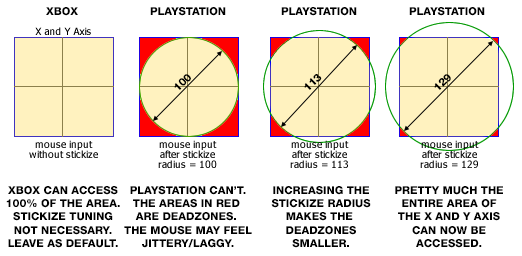
• Stickize: PlayStation 3 and PlayStation 4 consoles and its controllers will not let you move the analogue stick to the X and Y axis of a full square when diagonal, it only moves in circles, regardless of how you are moving the stick. However, with an Xbox you can have both X and Y axis fully register a square shape (+100 /-100) despite the stick being circular.
The Stickize option converts the values of the Wiimote IR sensor (or mouse) to match the circle area of the analog stick (essentially adding an outside deadzone). The possible values of the analog sticks are usually confined to the area of a circle, being impossible to reach the maximum values in the diagonals. In this case, the stickize setting can be adjusted to cancel this effect, enabling access to the full X and Y access and essentially erasing any deadzone. The behavior of some mice/games react differently to this of course. You may find that the default max value of 142 works perfectly, whereas you may have a game that is far more responsive with a setting of 115.
We have tried to illustrate this as best as possible in the graphic below.
With Xbox games, this should be left at its default value (142). For PlayStation games, the only one that we know which specifically requires this adjustment is Battlefield Bad Company 1 (PS3), however there are reports that a value of 115-120 works well with some PS3/PS4 games. As always every mouse and game will be different, and we recommend that you keep the setting as default (142) unless you find it absolutely necessary.
|