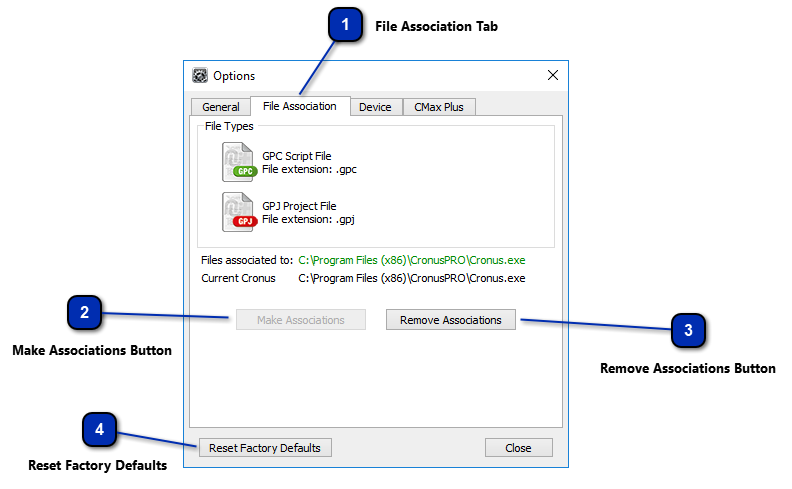
Select this tab to access the File Associations Settings
File association links GPC Script files and GPJ Project files with the Cronus PRO software, enabling file actions through double-click, drag and drop, command line calls, COM and DDE. A file association is stored in the Windows registry, and can be created by clicking on the button "Make Associations". To reverse the file associations click on the button "Remove Associations".
Click this button to assign associations to Cronus PRO for GPC and GPJ files in the Windows Registry. Note: This button is disabled if associations have already been assigned
Click this button to remove associations with Cronus PRO to GPC and GPJ files in the Windows Registry. Note: This button is disabled if associations have not been assigned.