The
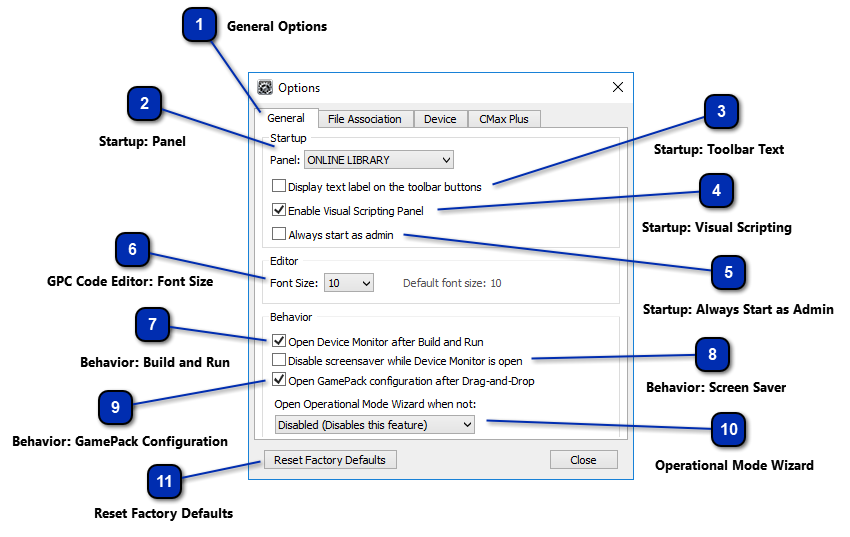
General options tab can be found within Cronus PRO's options dialog window which can be
accessed by opening the Tools drop down menu and selecting Options...
Within
this Tab you have access to the Startup, Editor and Behavior options for Cronus PRO.
Always
start Cronus PRO in in Administrator Mode (Full Admin permissions in Windows. This is
recommended if you regularly use X-AIM or other plugins). Note: When Cronus PRO is in Admin Mode the tool bar will say [Admin] next to the version number.
Here you
have the option to disable your Windows screen saver while the Device Monitor is open. This is use if
you wish to monitor the I/O data while gaming.
This
option allows you to set the behavior when a GamePack is dragged into a slot in the
programmer tab. You can choose if the GamePack configuration menu will be automatically
opened.