General
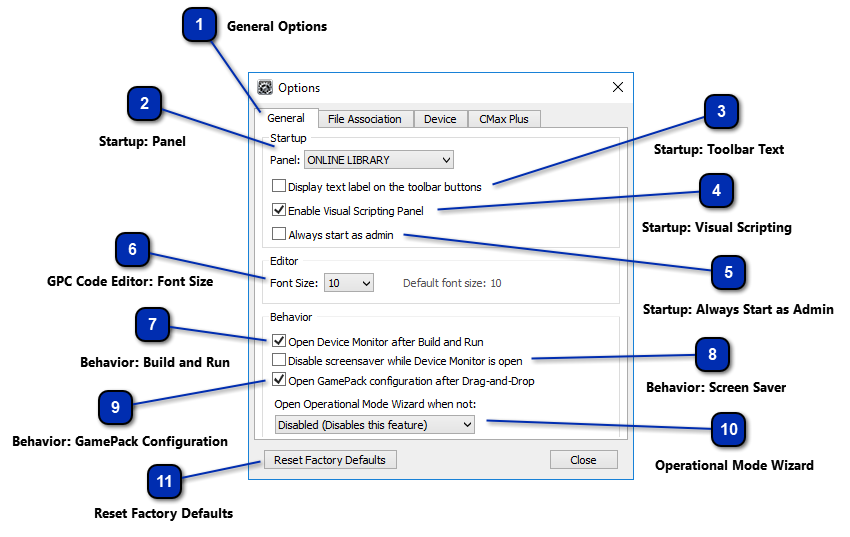








Startup: Visual Scripting
Enables or Disables the Visual Scripting Panel.
  |

Startup: Always Start as Admin
Always start Cronus PRO in in Administrator Mode (Full Admin permissions in
Windows. This is recommended if you regularly use X-AIM or other plugins). Note: When Cronus PRO is in Admin Mode the tool bar will say [Admin] next to the version number.
 |

GPC Code Editor: Font Size
Set's the font size for the text within the GPC Code Editor. The default size is 10.
 |

Behavior: Build and Run
This option selects whether or not you would like the Device Monitor to automatically open when
you build and run a GPC Script from the Compiler.
 |

Behavior: Screen Saver
Here you have the option to disable your Windows screen saver while the Device Monitor
is open. This is use if you wish to monitor the I/O data while gaming.
 |

Behavior: GamePack Configuration
This option allows you to set the behavior when a GamePack is dragged into a
slot in the programmer tab. You can choose if the GamePack configuration menu will be automatically
opened.
 |

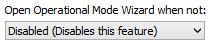
Operational Mode Wizard
Set the Cronus Operational Mode Wizard to
automatically open when the CronusMAX PLUS is connected to the PC and a selected mode is
detected.
 |

