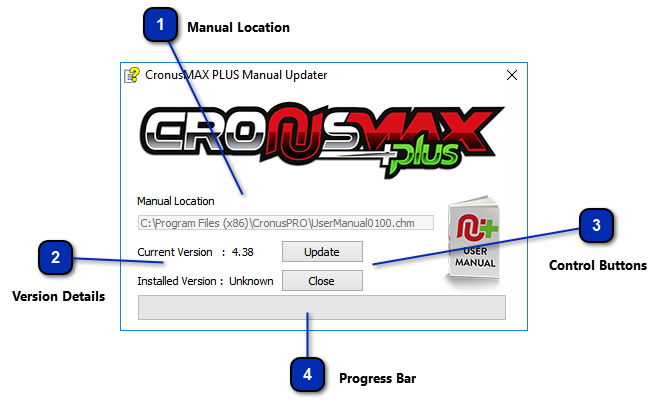
The Manual Updater allows you to quickly and easily update your local hard copy of our manual to the latest version.
Updating to the latest version ensure you have the up to date information, and more importantly, the latest GamePack manual pages. We are very active with GamePacks so it is recommended you run this regularly so you have the up to date manual pages.
IMPORTANT INFORMATION
An Internet connection is required to download the latest manual. Once downloaded, the manual can be viewed offline.
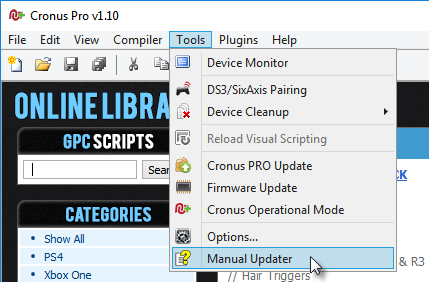
To run the Manual Updater, simply go to Tools > Manual Updater
Manual Location
This text box displays information of where the help file is located on your PC.
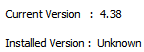
The Current Version number tells you the version of the latest manual and the Installed Version number informs you of the version number which is currently installed on your PC. if it says Unknown then you haven't installed the manual yet and this is your first time.