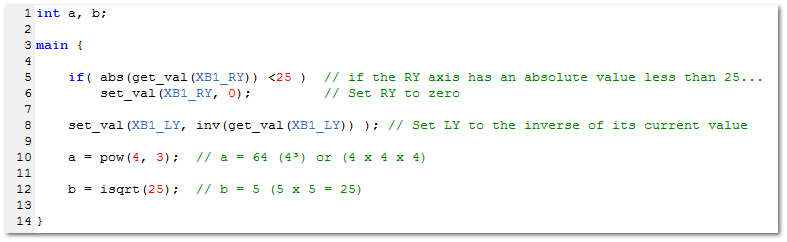
In this section are
the GPC functions used to perform specify mathematical operations. Two important things to note when
working with perform math task in GPC is that it is a signed 16bit environment so all operations must work
within that range which is -32768 to +32767 and that GPC only supports integer values
which means any fractions will be rounded down to a whole value. For example 7
/ 3 = 3.
The abs
command returns the absolute value of an expression. An absolute value is a number
without regard for its sign, for example the absolute value of 8
and -8 is 8. An absolute value can also be thought of as
its distance from zero which is always a positive value.
One of
the popular uses for the abs command is when working with axis to start combos.
Such as in fighting games where many users tend to use the right stick to start a combo.
So if you wished for the same combo ro be run if for example the right stick was pushed
left or right, instead of using an or ( || ) operator or using
two if commands you could just do this;
main {
if( abs(get_val(XB1_RX)) > 70 ) // if RX is greater than 70 or less than -70...
inv returns the inverted value of an expression or number.
This means a positive value will be turned in to a negative value and vice versa, which
is the same as multiplying the value by -1. For example;
int a = 100;
int b = -50;
main {
a = inv(a); // a = -100
b = inv(b); // b = 50
}
One of
the popular uses for this command is to invert the right sticks Y axis. For
example, if you prefere to play with an inverted aim but come across a game which
doesn't support it, with one line of code you can have the CronusMAX PLUS invert the
axis for you. Like so;
main {
set_val(XB1_RY, inv(get_val(XB1_RY)) ); // Set RY to the inverse of its current value
pow raises the given value to the power specified. What
this means is a value will be multiple by itself X amount of times. For example;
int a;
main {
a = pow(5, 3); // a = 125 (5³) or (5 * 5 * 5)
}
This
function must be used with caution as there is a risk of an integer overflow when using
it. This would occur when the function attempts to return a value greater than
32767 which is the maximum value for a signed 16 bit
integer.
isqrt returns the square root of a given value. The square
root of a value is the value which when multiplied by itself equals the given value.
For example, the square root of 25 is 5 (5 * 5 = 25). The return value is an integer which means any fractions
will be dropped. As shown below;
int a;
main {
a = isqrt(10); // a = 3. The square root of 10 is 3.16...
// GPC supports integer values only so the fraction is dropped.