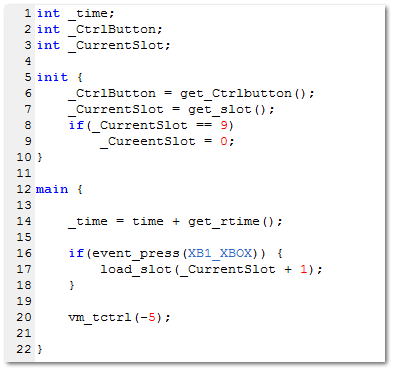
load_slot will attempt to load the slot number specified within its parameter. If there is no script current stored in the specified slot, then it will unload the current slot and load slot 0.
Example of usage:
main {
if(event_press(XB1_RB)) // if RB / R2 is pressed...
load_slot(5); // Load slot 5
if(event_press(XB1_LB)) // if LB / L2 is pressed...
load_slot(0); // Unload current slot and load slot 0
}
Syntax
load_slot ( <slot_number> );
Parameters
<slot_number> :
A value while represents a slot number to load, range 0~9
get_ctrlbutton returns the current control button.
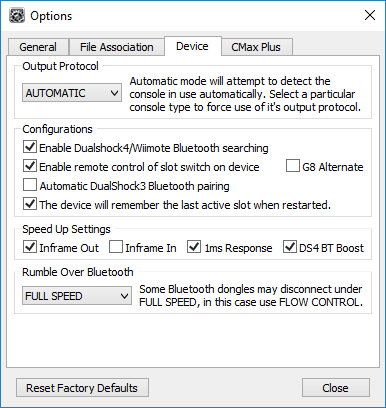
The control button is set in the Device tab within Cronus PRO's Options window. The enable remote control of slow switch on device dictates which button it is set to
If enable remote control is disabled, then the control button is 0 (The Xbox / Guide / PS button)
If enable remote control is enabled and G8 Alternate is disabled, then the control button is 1 (Back / View / Select / Share)
If both remote control and G8 Alternate are enabled, then the control button is 8 (LS / L3)
Syntax
get_ctrlbutton ( );
Parameters
None
Returns
0, 1 or 8 depending on the Remote slot settings in device options
vm_tctrl sets the virtual machine timeout for the next iteration. By default, the virtual machine runs the main loop every 10 milliseconds as it aids stability. You can however adjust how often each main iteration is run. Just be aware than changing this setting may cause instability within your script.
Example of usage:
main {
vm_tctrl(-5); // Run the VM every 5ms
}
Syntax
vm_tctrl ( <Value> );
Parameters
<Value> :
Numeric value to add to the VM base time. Range -9 ~ 10