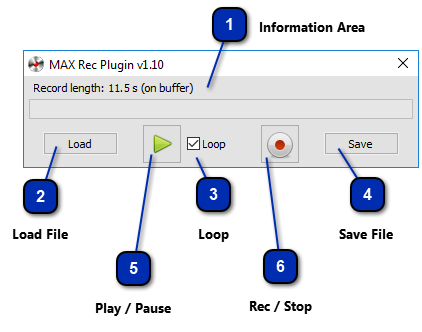
First make sure that your CronusMAX is connected to both your console and Windows PC (via the PC PROG USB Port).
Information Area
Information about the commands sequence such as: if the sequence was loaded from a file, or it is just lies in the memory buffer. Its length in seconds. The progress bar that represents the all the sequence of commands and how much it was reproduced.
Start recording the sequence of commands in the memory buffer. This button can also stop the recording or stop the playing, depending on the action is being conducted.