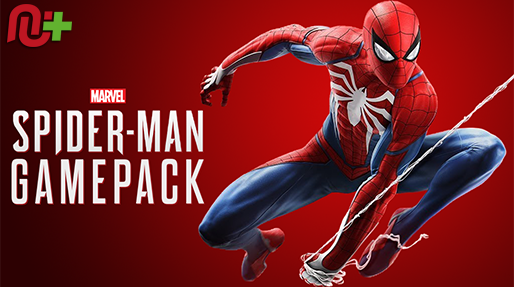
The Spider-Man GamePack introduces a range of exclusive Mods, including Jump Zip Mod, Wall To Punch Combo, Dodge Combo, Punching Combo, Punch to Zip Combo, Zip Throw Mod, Spider Rapid Fire, Easy Zip to Point, Auto Sprint, Auto Parkour Mode and Hair Triggers. These can all be easily accessed with a quick Speed Toggle, giving the ability to respond faster.
We also invite you to join the Cronus Discord Channel - setup and run by members of the Cronus Community. There are several channels dedicated to GamePacks which offer live support and feedback, including direct support from senior members of the Cronus Community. Use this link to join our server: https://discord.gg/mJgQyM4
GamePack GCI Options
All GamePacks have Mods that can be tuned and customized to your preference.
This scripting engine is what makes the CronusMAX so powerful and extremely
popular with the gaming community. Gaming Mod configuration is now made more
accessible than ever before with the new GCI (GamePack Configuration Interface).
It pops up as soon as you program the GamePack to your Cronus (Video). Some Mods can
be directly enabled/disabled here, and some are disabled in-game by default,
but have several available options that can be set here and then enabled or
activated while in-game.
GamePack Setup
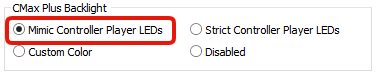
If you have a CronusMAX PLUS, open the Cronus PRO software and go to
Tools > Options > CMax Plus and enable "Mimic
Controller Player LEDs" for the backlight LED features to
work.
GamePack Mods - Toggles
A great feature of GamePacks is that many of the Mods work together and can be enabled at the same time, making them especially potent. However, for maximum effect, some of them need to be quickly enabled/disabled during gameplay, depending on the type of Mod and its features. This requires what we call 'Toggles.'
Speed Toggles are designed to give you the ability to instantly change the configuration of certain Mods that require fast access, in-game, with a simple pre-configured button combo.
All toggles have rumble feedback and LED notifications. You're able to check the status of any Mod while in-game by merely pressing LT plus its activation button. For this GamePack, the activation button is whatever comes after LT in the combo, so in the example below, one you press LT + A/CROSS, the Cronus LED will either display Green or Red to tell you if the Mod is either enabled or disabled. (Important Note: Some Mods have a Yellow LED when enabled, see B/CIRCLE and X/SQUARE Combos below for examples.)
Console
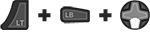
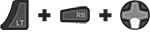
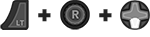
Enter MOD Menu
LED
Led: MOD Menu Open = Blink Blue.
Some Mods are Yellow when enabled. See notes below.
A/CROSS Combo
Mod 1 - Speed Toggle
Jump Zip Mod: Once activated, press and hold the
'A/CROSS' Button and your character to jump and do a zip pull
automatically. A great combo move that allows you to get out of danger area fast or pull
yourself quickly to a desired spot.
This Mod is disabled in-game by default; however, it can be enabled (or disabled) via a Speed Toggle during gameplay. Once enabled, the Mod will activate anytime the A/CROSS button is pressed. There is no GCI option required for this Mod.
This
contains two Mods: Dodge Combo & Wall to Punch
Combo
Dodge Combo: Once activated, press and hold the
'B/CIRCLE' Button and your character will automatically dodge in a loop
and jump over enemies etc. without pressing all the dodge buttons over and over
Wall to Punch Combo: Once activated, press and hold the 'B/CIRCLE'
Button and your character will automatically jump against a wall, then directly jump
with speed against an enemy while performing an air attack.
Both Mods are disabled in-game by default; however, they can be enabled (or disabled) via a Speed Toggle during gameplay. Once enabled, the selected Mod will activate anytime the B/CIRCLE button is pressed. There is no GCI option required for this Mod.
This
contains two Mods: Punch to Zip Combo & Punching
Combo.
Punch to Zip Combo: Once activated, press and hold the 'X/SQUARE'
Button and your character will perform a heavy attack which lifts the enemy in the air
and automatically zip and pull the enemy to the ground for more damage.
Punching Combo: Once activated, press and hold the
'X/SQUARE' Button and your character will automatically perform an
attack combo without stopping. You can fight an unlimited amount of enemies without
pressing a different button!
Both Mods are disabled in-game by default; however, they can be enabled (or disabled) via a Speed Toggle during gameplay. Once enabled, the selected Mod will activate anytime the X/SQUARE button is pressed. There is no GCI option required for this Mod.
Zip Throw Mod: Once activated, press and hold the
'LB/L1' Button and your character to jump and do a zip pull
automatically. A great combo move that allows you to get out of danger area fast or pull
yourself quickly to a desired spot.
This Mod is disabled in-game by default; however, it can be enabled (or disabled) via a Speed Toggle during gameplay. Once enabled, the Mod will activate anytime the LB/L1 button is pressed. There is no GCI option required for this Mod.
Spider Rapid Fire: Once activated, press and hold the
'RB/R1' Button and your character will fire the Web Shooter
Gadget at the maximum rate possible.
Tip
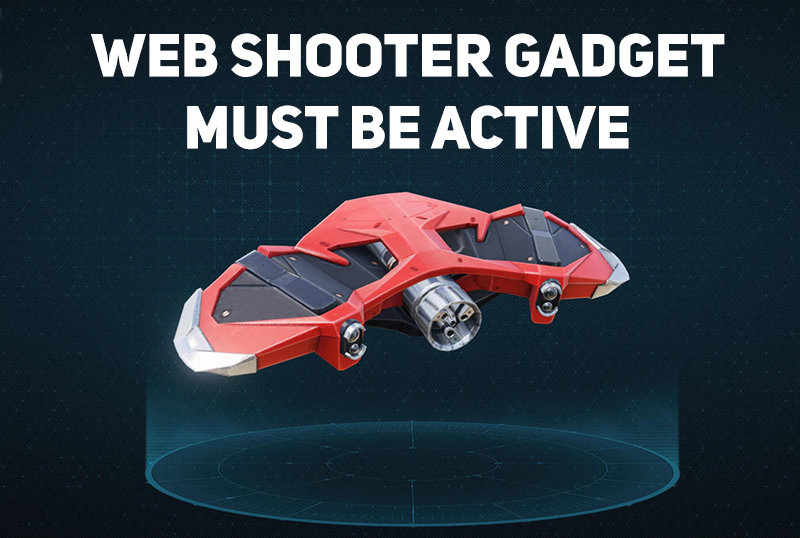
Spider Rapid Fire requires the Web Shooter Gadget to be
active (Hold down LB/L1 to bring up the gadget wheel).
The Web Shooter is the most important tool in your kit,
and one that you will use most-often throughout the game
- unlike other gadgets, an empty Web Shooter only needs
a few seconds to recharge. At its most basic, a single
web shot is an effective means of momentarily staggering
an enemy. Spider Rapid Fire can be used to rapidly
ensnare a target and make them available as a weight to
swing around and knock over other enemies, or, if an
enemy is close to a wall, a quick blast will attach them
to it. You'll have fun if you tinker with Spider-Man's
more advanced gadgets, but you could simply get by with
the Spider Rapid Fire Web Shooters alone - they're that
effective!
This Mod is disabled in-game by default; however, it can be enabled (or disabled) via a Speed Toggle during gameplay. Once enabled, the Mod will activate anytime the RB/R1 button is pressed. There is no GCI option required for this Mod.
Easy Zip to Point: Once activated, press and hold the
'RS/R3' Button and your character will do a zip to the aimed point with
a single button click. This will save time in a firefight and is easier to perform.
This Mod is disabled in-game by default; however, it can be enabled (or disabled) via a Speed Toggle during gameplay. Once enabled, the Mod will activate anytime the RS/R3 button is pressed. There is no GCI option required for this Mod.
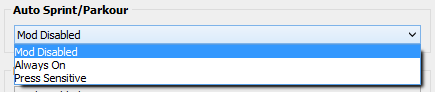
This Mod gives you the classic Auto Sprint function, while at the same time activating a cool Auto Parkour Mod. Now you can jump over every single object while doing tricks. Climb and jump over every obstacle with style, without pressing a single button!!
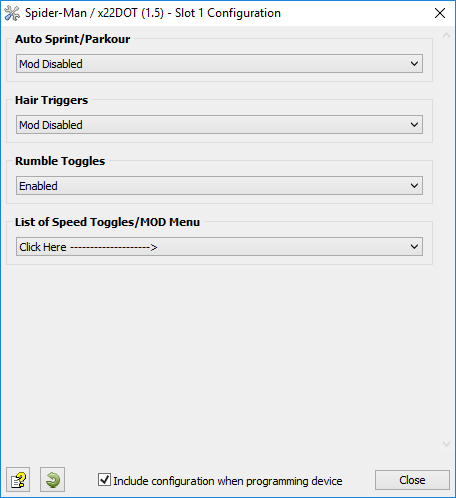
This Mod is disabled by default; however, it can be enabled in the GCI (see image below). There is no
Toggle for this option so it cannot be changed during gameplay.
Option
Name
Notes
1
Mod Disabled
2
Auto Sprint
This Mod will press and hold the sprint button whenever you move you
character forward. It will also activate Auto Parkour.
3
Press Sensitive
This Mod will sprint and Parkour if the movement stick is FULLY pressed
forward. The character will walk regular speed / no Auto Parkour if the
movement stick is only slightly pressed forward.
This
game applies a "dead-zone" to the trigger buttons, which means the triggers
need to be pressed almost half way down before they are registered by the game. With
this Hair Trigger Mod you can ensure your weapon will fire at the slightest amount of
pressure.
When
using this Mod, the LT/L2 and RT/R2 triggers are digitally converted so that they
perform with ultra sensitivity without having to hardwire any extra components to your
controller - saving both your warranty, time and money.
This Mod is disabled by default; however, it can be enabled in the GCI (see image below). There is no
Toggle for this option so it cannot be changed during gameplay.
Option
Name
Notes
1
Mod Disabled
Hair Triggers is disabled.
2
Mod Enabled
Fire will now activate at the slightest amount of pressure.
Utility toggles are designed to give you additional control of the GamePack in real-time. A simple tap of a pre-configured button combo and the toggle is instantly activated. All toggles have rumble feedback and LED notifications if enabled.
Global Killswitch
Utility 1 - Speed Toggle
Quickly enable or disable the entire GamePack with this convenient killswitch toggle.
The GamePack offers rumble feedback when changing toggles.
This Utility is enabled by default; however, it can be disabled in the GCI (see image below). There is no Toggle for this option so it cannot be changed during gameplay.
When this GamePack is being used on a PlayStation 4 and detects the connected controller is not a DualShock 4, it will automatically reassign Touchpad to the Select/Back/View Button and enable a toggle to the PS4 Share Screen.
Crossover
Shortcut to DualShock 4 Touchpad:
Toggle to PlayStation 4 Share Screen:
Troubleshooting
If you find your GamePack isn't working correctly, the memory in the Cronus device where the settings are stored may have become corrupted. In this case, we recommend that you erase your memory slots using the Cronus Pro option in Tools > Device Cleanup > Erase Memory Slots. There will be an option to clear the memory slots in Cronus Pro. This step is not necessary, although recommended if you're not using the other slots.
If you're still having issues and want to check that your Cronus Device is functioning correctly with scripts, but you're not too sure how to test, we recommend you try out the easy to use Cronus Stress Test Script by Cronus Community senior staff member, Lex Lost.
Important
When using this GamePack for the first time, be sure to check each Mod to make sure everything is enabled or disabled precisely the way you want. With the built-in Toggles and LED notifications, this should take only a couple of minutes and will also make you familiar with how to use and configure the GamePack. We have found this eliminates almost all issues that users have.
Marvel's Spider-Man and Spider-Man PS4 are registered trademarks, trademarks or service marks of Sony Interactive Entertainment America LLC.
The “PS” Family logo is a registered trademark and “PS4” is a trademark of Sony Computer Entertainment Inc.
Microsoft, Xbox One and the Xbox logos are trademarks of the Microsoft group of companies.
Other product names used herein are for identification purposes only and might be trademarks of their respective companies. We disclaim any and all rights to those marks.