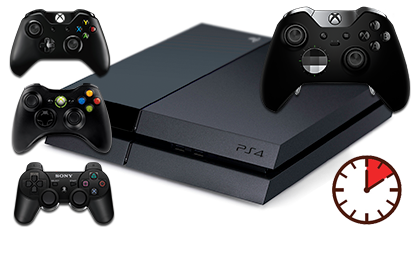
Wired Controllers (Xbox One, Xbox 360 and PS3) - Connecting to PS4
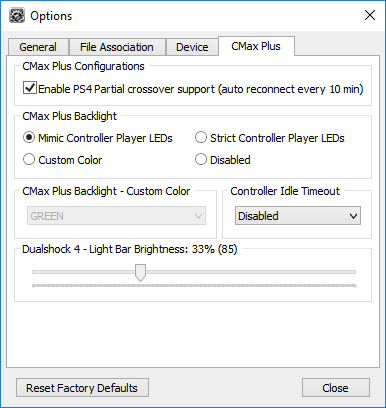
Without a USB Hub (Partial Crossover Support)
IMPORTANT
The first important step is to unpair your DualShock 4 controller from the PS4 console as this will solve any disconnecting issues. Click Here for a detailed guide on how to do that.
This guide also has a couple of important steps to follow if you have a PS4 Pro console and a DS4v2 (CUH-ZCT2U) controller (which is used for authorization).
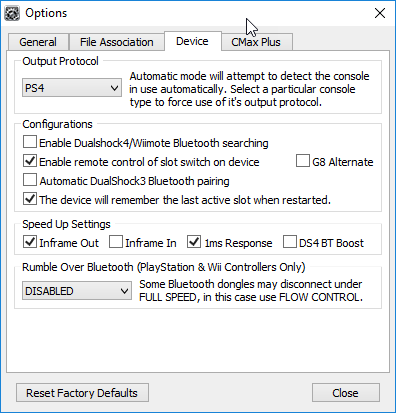
Set Output Protocol
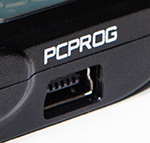
Follow the instructions here to correctly connect your CronusMAX PLUS to a PC via the PC PROG port using the supplied Mini-USB Cable.
Load Cronus PRO and go to Tools > Options > Device
Connect your Wired Controller to the CronusMAX PLUS
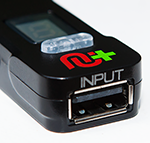
Connect your Wired Controller of choice into the Input Port of the CronusMAX PLUS. If it's an Xbox One Wireless Controller use a full data Micro-USB Cable.
After a couple of seconds the display on the CronusMAX LED will go from the spinning Standby Animation to 0 (or a number if slot recall is enabled and a script was previously loaded) - indicating that the controllers are authorized and you're ready to play. At this point you can use your controller through the CronusMAX PLUS and also load any scripts or GamePacks. It's that simple!
If you have a non DualShock 4 controller, don't forget to use the PS4 Crossover Essentials GamePack to make sure all non DS4 functions are mapped correctly such as Touchpad and Share Screen. If you have an Xbox Elite Controller, click here for a special version of the Crossover GamePack.
WARNING
If you are using an Xbox One or DualShock 4 Controller with a Micro USB cable and the LED on the CronusMAX PLUS changes back to AU then the Micro USB Cable is probably faulty or not compatible. Try another and make sure it is full data and not just a charging cable. Another issue that sometimes comes up is that the controller USB port has a loose data pin. It will charge fine, but won't transmit data.
CONTROLLER DISCONNECTING?
If you find that your controller disconnects at random times there are several things to check that should solve the problem.
1. Make sure you unpair the Authorization controller from the console correctly (in this case that will be a DualShock 4 controller as you are using a PS4 console). Click here for detailed instructions.
2. The USB cable could be losing its connection between the controller and the CronusMAX. This can be caused by a poor quality USB cable, the USB socket on the controller itself is loose, or any USB extension cable you are using with the controller is poor quality or too long. Check all connections and replace any parts if necessary.
3. You powered on the console with the controller. Don't do that as the console will sync with the controller and the security ID will pass to the console and not the CronusMAX PLUS. Always power on the console with the consoles power button.
4. Go to Step 1 in this guide and make sure 'Inframe In' is disabled and also try disabling the '1ms Response' and 'Inframe Out' options too. This sometimes solves any disconnecting problems.